Understanding PC Rental Services
What Exactly Is a PC Rental Shop?
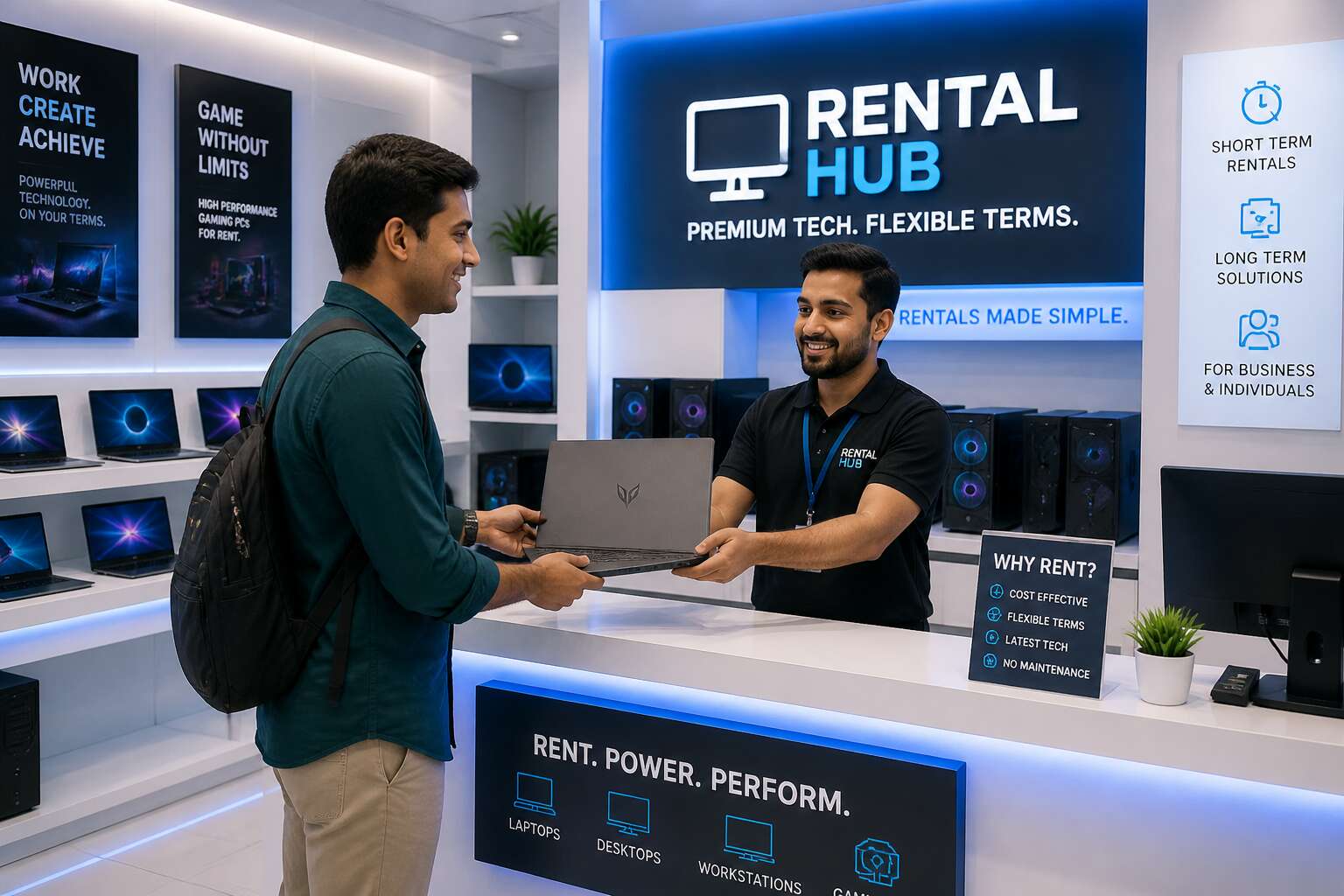
Walk into a pc rental shop and you step between ownership and need. These businesses exist to supply complete workstations, laptops, and desktops without the weight of permanent purchase. Customers range from film crews needing rendering machines for a week to accountants covering seasonal peaks. A pc rental shop provides both hardware and a relationship built on speed of access.
Most shops operate two distinct models:
- Short term rental for projects, events, or emergency replacement
- Long term leasing with dedicated hardware kept aside for your team
Each model changes how you plan your budget and your maintenance schedule. In the United Kingdom, these shops often integrate with local business supply chains, offering next day delivery and preconfigured machines. The service strips away the burden of depreciation and responsible disposal. You pay for the machine while it matters, then walk away cleanly. That is the quiet contract no brochure will say aloud.
The Evolution of Computer Rentals
Thirty years ago, renting a computer meant a van, a handshake, and a machine the size of a wardrobe. Today, a pc rental shop can deliver a fully configured laptop to your desk before your coffee cools. I have watched this industry change for two decades, and the speed still surprises me!
Rental companies once treated computers like office furniture. You paid by the month and prayed the thing booted. The dot-com boom changed that. Suddenly, everyone needed temporary machines for projects that existed purely online. A pc rental shop stopped being a storage room and became a staging ground.
Cloud computing finished the transformation. Your data lives elsewhere now. The rented hardware simply connects you to it. That is why the modern shop stocks configurable machines and keeps turnaround times short. You pay for the access, not the ownership.
Types of PCs Available for Rent
Nearly 60% of rented machines are laptops, but the real growth lies in specialised hardware. A pc rental shop typically stocks four categories to cover every workload. The standard office laptop handles email, spreadsheets, and video calls. For design teams, high-end workstations with dedicated graphics cards deliver rendering power without the capital outlay. Construction sites and field engineers rely on ruggedised notebooks built to survive drops and dust. Gaming and VR studios rent desktops with RTX-class GPUs.
- Office laptops with basic business software
- Workstations for CAD, video editing, and 3D modelling
- Rugged laptops for outdoor or industrial use
- High-performance desktops for gaming or simulation
Each category comes pre-configured to your specification, and swap-outs happen within hours. The choice depends on your workflow, not your budget.
Rental Duration Options: Short-Term vs. Long-Term
A typical pc rental shop contract runs anywhere from a single day to several years. Short-term rentals, often spanning a week or a month, suit project peaks, conferences, and temporary staff onboarding. You get immediate access without the procurement paperwork! Long-term agreements stretch beyond six months and lean closer to managed services, covering proactive replacement, firmware updates, and predictable billing.
Rental duration shapes pricing. Daily rates carry a premium, while quarterly agreements can halve the cost per unit. Some customers rotate hardware every few weeks, others keep the same fleet for a full financial year. Your demand curve determines which window fits.
Short-term windows work well for:
- Conference demonstrations and trade shows
- Seasonal workload surges
- Hardware evaluation before purchase
Long-term arrangements suit core infrastructure roles where equipment becomes part of your operational baseline. A pc rental shop can switch you between these models as circumstances change, keeping your technology spend flexible.
Benefits of Renting PCs for Businesses
Cost Savings and Budget Flexibility
Most finance directors admit that predicting hardware costs is guesswork. A pc rental shop replaces that guesswork with a fixed monthly fee. Instead of tying up capital in equipment that depreciates daily, your business pays only for what it uses each month.
The savings become visible in several places:
Budget flexibility follows naturally. You expand your rented fleet for a seasonal surge, then shrink it when demand settles, without selling off redundant machines. Your spending aligns with actual usage, not a forecast made months in advance.
Access to Latest Technology Without Capital Investment
Technology cycles become shorter every year. A newly purchased laptop is dated within eighteen months. A pc rental shop removes that burden. You gain access to current hardware without the capital investment. Instead of writing a large cheque upfront, you pay a monthly fee that covers the latest equipment.
This arrangement changes how your business plans. You can upgrade when needs shift, not when the budget allows. New processors, more memory, better graphics, all become available without a second procurement cycle!
- Immediate access to hardware that improves productivity.
- Consistent performance across your team.
- Freedom from resale or disposal logistics.
Your company stays competitive while preserving cash for operations. That is the real advantage of renting over owning, and I have seen it pay off for companies that switch.
Scalability for Temporary Projects or Events
Projects grow and shrink in ways that forecasters never fully capture. An audit needs eighty machines for six weeks. An event needs a payment terminal network for one weekend. The ordinary office stock covers none of this, and buying for the peak leaves equipment idle for the rest of the year. A pc rental shop matches hardware to the project timeline instead of the capital budget.
The practical benefit is threefold:
- Provision a full team for a client-facing deliverable and step down when it ships.
- Ramp up for a product launch or training course without touching procurement.
- Leave onsite events with zero residual hardware to store, insure, or resell.
You pay for capacity during the window it generates revenue. The machine never lingers beyond its use.
Maintenance and Support Included
Hardware fails at the most inconvenient moment, usually before a board presentation or a client demo. A pc rental shop removes that anxiety by including maintenance and support in the rental fee. The provider replaces faulty units, applies security updates, and answers queries without charging extra for every call.
- Faulty hardware is swapped within agreed response times
- Software updates are handled remotely
- Helpdesk access is included, no hidden invoices
I have seen firms waste days wrestling with warranties and driver conflicts. Renting spares you that theatre. You pay for working computers, not for the privilege of fixing them yourself.
Reduced E-Waste and Environmental Impact
Every year, UK businesses bin thousands of dead computers. That’s the environmental cost of owning hardware outright! When you rent from a pc rental shop, the equipment gets reused, refurbished, or responsibly recycled after its rental life ends. You avoid the guilt of discarding a functional machine because a newer processor arrived.
The provider handles the disposal process, so you don’t have to navigate WEEE regulations or chase recycling certificates. A sensible rental arrangement extends the usable life of each unit across multiple tenants, reducing manufacturing demand for new devices. Consider what you no longer need to manage:
- No surplus machines filling the storage cupboard
- No awkward trips to the council tip
- No expired tech sitting on your asset register
Renting turns your computing needs into a temporary relationship, and the planet appreciates the reduced strain.
How to Choose the Right PC Rental Shop
Evaluating Hardware Quality and Specifications
One faulty graphics card can halt a week of rendering. When evaluating a pc rental shop, hardware quality is the first gatekeeper. You need more than a promise of ‘high performance’. Ask for the exact processor generation, RAM capacity, and storage type. A reliable provider will publish these details without hesitation.
Consider the workload. Video editing demands different specifications than data analysis. Check the GPU’s VRAM and the CPU’s core count. Also inspect the condition of peripherals, as worn keyboards and dim displays signal neglect.
- Verify the warranty and replacement policy for defective units.
- Request a benchmark test before committing to a long rental.
A shop that cannot provide these specifics is hiding something. Choose one that treats specifications as a contract, not a suggestion.
Checking Service Level Agreements and Support
A service level agreement is the difference between a blip and a catastrophe. When you choose a pc rental shop, ask what happens when a machine fails at 2 AM. Response times matter more than apologies. Look for guaranteed replacement windows and clear escalation paths. The support team’s competence is the real product. When reviewing an SLA, verify specific clauses:
- Maximum response time for critical failures
- On-site replacement versus remote diagnosis
- Penalties for missed service windows
A contract that lacks specific penalties for downtime shifts risk onto you. The best pc rental shop will treat support as a promise, not a footnote. Ask who answers the phone and whether engineers are local. Vagueness here is a warning sign.
Comparing Pricing Structures and Hidden Fees
The true cost of a pc rental shop is rarely the advertised rate. Most suppliers quote a baseline price, but arithmetic changes on inspection. Longer terms reduce per-day costs, but only if you commit to a fixed period.
Beware the auxiliary charges in fine print: insurance waivers, delivery charges, setup fees, and penalties for cosmetic wear. One rental contract of mine added 25 percent through such extras. Request a full breakdown before signing.
- Delivery and collection costs for non-standard locations
- Damage liability waivers that replace rather than repair
- Configuration or software installation fees
- Restocking charges for early termination
A transparent pc rental shop will volunteer these details without prompting. Ifethe vendor hesitates to itemise every cost, consider that a signal. Compare quotes with equal specifications, not just headline numbers, and remember that a bargain rate is unsustainable once hidden fees emerge.
Reading Customer Reviews and Testimonials
78 percent of UK firms consult reviews before renting equipment. For a pc rental shop, testimonials show what spec sheets miss. I once picked a highly rated vendor, then discovered they swapped booked models for older ones. Watch for recurring complaints. Those patterns matter.
Look for comments on replacement policies, response speed, and whether the actual machine matches the booking. A vendor with a few detailed reviews beats dozens of vague ones. If all praise sounds identical, be suspicious. Seek voices from your sector, like event planners.
- Check review dates, not averages.
- Search for your specific use case.
- Cross reference testimonials with forums.
A trustworthy operation has uneven feedback. Real customers leave real gripes.
Assessing Delivery, Setup, and Pickup Logistics
Delivery windows reveal a pc rental shop’s true character. A vendor that promises a two-hour slot and keeps it respects your schedule. One that shrugs at a four-hour delay has shown you how they handle problems before you sign anything.
Setup is where the real work happens. Ask whether technicians configure machines on site or leave you to manage cables and permissions. For events, ask about staging areas and power requirements. For offices, ask about network integration.
Pickup logistics deserve equal scrutiny. Some vendors schedule collection at their convenience, not yours.
- Packaging and transport damage responsibility varies by vendor
- Early pickup sometimes incurs fees
- Collection time may count as rental time
I learned this from experience. A vendor sent a van with no ramp and two staff members who could not lift the equipment. That mattered more than any specification sheet from the pc rental shop!
Verifying Security and Data Protection Measures
A single forgotten file on a returned hard drive can undo years of client trust. That is the quiet risk hidden in every rental agreement, and it is why security verification must happen before you sign. A reputable pc rental shop will outline their data sanitisation process without hesitation, detailing the software they use and the certification they hold for secure erasure.
The physical journey of your data matters just as much as the digital one. You should ask where machines are stored between rentals and who has access to them. A locked cage in a warehouse offers different protection than a shared depot with high staff turnover.
When vetting a vendor, consider these non-negotiable questions:
– Do they provide a certificate of data destruction for each returned unit?
– Are hard drives encrypted by default before deployment?
– Do they offer the option to purchase drives outright after the rental ends?
A clear policy on these points separates a professional operation from a casual one. The technician who configures your machines also holds the keys to your information. Ask about their vetting procedures and whether they run background checks. This level of scrutiny feels uncomfortable, but it is the price of peace of mind in a digital age. The best pc rental shop will welcome your questions, not deflect them. Their transparency is the only guarantee you can actually hold.
Cost Considerations and Pricing Models
Daily, Weekly, and Monthly Rental Rates
The daily rate is often the entry point for any pc rental shop, but it is rarely the most economical path. This pricing tier typically includes the highest proportional cost, which accounts for the logistics of frequent turnover, sanitisation, and rapid deployment. For a business needing a machine for a single conference or a sudden staff surge, that premium is acceptable. However, a weekly agreement usually offers a discount of roughly 15 to 20 percent compared to the daily rate, which makes it the preferred choice for short-term project sprints where the hardware is needed for a full work cycle.
Monthly rates are where the financial landscape shifts dramatically. Committing to a 30 day term usually unlocks a rate that is significantly lower than the daily equivalent, sometimes by as much as 50 percent. This model shifts the cost from a capital expenditure to an operational one, which is crucial for cash flow management. When evaluating these tiers, consider the specific billing mechanics:
- Whether the billing cycle is calendar based or usage based.
- If there is a minimum commitment period before you can switch to a shorter term.
- How the supplier handles late returns or early terminations.
The psychological comfort of a weekly rental often masks the fact that a monthly rental is frequently the same price as three weeks of service. A savvy procurement manager will always calculate the effective daily cost of each tier. Ultimately, the choice is a balancing act between flexibility and fiscal prudence, where the apparent convenience of a daily rate must be weighed against the undeniable arithmetic of a longer term commitment.
Volume Discounts and Corporate Contracts
Price variability is the first thing procurement teams notice when comparing bids for a pc rental shop. The headline rate rarely tells the full story, as volume discounts can reduce the per-unit cost by as much as 30 percent when you commit to a fleet of twenty machines or more. This is where the arithmetic becomes interesting for finance directors who need to stretch an IT budget across multiple departments.
The logic behind volume pricing is straightforward for rental providers. A larger order simplifies logistics, reduces per-unit handling time, and guarantees a baseline of revenue for the supplier. In exchange, they pass on savings.
– Orders of 10 to 25 units typically attract a 5 to 10 percent discount.
– Fleet sizes of 50 or more often see negotiated rates that rival long-term leasing costs.
– Multi-site deployments can unlock preferential pricing due to reduced delivery overheads.
Corporate contracts go a step further than simple bulk deals. These agreements bundle terms that address the specific pain points of enterprise clients, such as flexible swap-out periods for faulty hardware and the ability to scale down at short notice without penalty. A well-negotiated contract with any reputable pc rental shop should also include a defined service level agreement that specifies response times for technical support, which is often the hidden value driver in these arrangements.
For companies that rent repeatedly across different projects, establishing a standing agreement with a single supplier simplifies the entire procurement cycle. The provider learns your hardware preferences, your delivery locations, and your peak usage periods. This familiarity translates into faster turnaround times and a more reliable experience, turning what might otherwise be an administrative burden into a straightforward operational tool. The real negotiation starts when you ask about monthly caps on usage or hybrid terms that blend weekly and daily rates, as this is where the flexibility of a custom contract becomes apparent.
Additional Costs: Insurance, Accessories, and Software
The price on the tag is never the price on the invoice. A typical pc rental shop quote covers the hardware and little else. Insurance leads the list. A standard policy covers accidental damage, but theft and water damage often require an uplift. Expect to pay between 1 and 3 percent of the weekly rental value for that coverage. Accessories add up quickly too. Docks, monitors, and ergonomic keyboards are usually itemised separately. Software licensing behaves differently. Perpetual licences are rare in the rental world; most providers offer monthly subscription pass-throughs, which can quietly inflate the invoice.
- Spare battery and charger: £12 per week
- Additional RAM upgrade: £8 per week
- Extended liability cover: 2 percent of hardware value per month
The all-inclusive quote remains the exception. A pc rental shop that volunteers these line items early is a rare find.
Understanding Deposit Requirements
Deposits operate on a logic all their own. A pc rental shop often asks for a sum that feels like a second invoice. The deposit is not a fee, but a temporary hold against damage or non-return. Expect it to be one week’s rental, sometimes two. Credit checks can replace the hold for larger contracts.
In the United Kingdom, the deposit policy is seldom standardised. A small vendor might want a personal guarantee. A national chain could accept reduced deposits for government bodies or list insurers. Be aware of the timing. Refunds take 7 to 14 working days after pickup.
– Verify how the deposit is returned. Bank transfer or card reversal.
– Ask if interest accrues on the deposit.
– Confirm the refund timeline in writing.
A pc rental shop that holds a deposit for months without communication is a red flag. Ask direct questions before signing. The answers reveal more than any brochure.
Break-Even Analysis: Rent vs. Buy
Most financial directors can recite their break-even point from memory, yet a pc rental shop might not be so explicit about it. The break-even point is where total rental spend equals total purchase cost, including depreciation, support, and insurance.
To calculate it, divide the hardware’s expected lifespan into its full purchase price, then add annual maintenance. Compare that daily figure to the rental rate. If rent exceeds the threshold, ownership wins after that period. If rent falls below, renting remains the choice.
- Expected usage: short projects rarely reach break-even
- Residual value: hardware resale shortens payback
- Support inclusion: rental contracts often fold in repair costs
In my experience, residual value is often overlooked. A machine bought for £1,000 that sells for £400 after two years reduces daily cost. That moves the break-even threshold against renting.
Common Use Cases for PC Rentals
Corporate Events and Trade Shows
Nothing kills a corporate event faster than a row of dead laptops. Trade show organisers and marketing teams in the UK routinely turn to a pc rental shop to avoid this nightmare. Instead of shipping your own hardware across the country, you can have pre-configured machines waiting at the venue. This approach solves the common headaches of logistics and compatibility. The most frequent requests cover:
- Registration desks with multiple terminals
- Product demonstration stations
- Back-office computers for event staff
Rental agreements typically include same-day setup and on-site technical support. You get the exact hardware specification you require, for a single day or a full week, without touching your capital budget. That is the practical advantage of renting for corporate events.
Temporary Staff and Contractors
Renting hardware for temporary staff is a quiet act of workplace diplomacy. Nothing signals a lack of preparation like a new contractor waiting three days for a laptop to arrive from head office. A pc rental shop solves this by placing the right kit on the desk before the new hire even walks in.
The beauty lies in the lack of commitment. You avoid the procurement cycle and the subsequent asset tagging nightmare. When the project concludes, the machines vanish. No lingering decommissioning duties, no dusty towers lingering in a storage cupboard. For sectors with high churn, this removes a significant administrative burden.
Contractors often require specific configurations to match client security protocols. Renting bypasses compatibility friction. Consider the common scenarios:
– Short term data entry surges
– Onboarding cohorts of analysts for a migration
– Seasonal audit teams needing isolated environments
– Project based software testers with specific OS requirements
The logistics are distressingly simple. You specify the build, they deliver the hardware, and you return it when the invoice period ends. This offers a particularly elegant solution for firms who measure productivity in billable hours, not hardware depreciation.
Software Testing and Development Environments
Software testing demands a hardware versatility that most in-house IT teams cannot supply. You need a machine that mirrors a client’s legacy operating system, then something else entirely for a new deployment. A pc rental shop removes the friction of constant reimaging. I have seen teams lose an entire sprint waiting for procurement, when renting solves it overnight.
The scenarios repeat themselves across the industry:
– Recreating a Windows 7 production environment for regression testing
– Provisioning isolated machines for penetration tests on a client’s network
– Spinning up multiple Linux distributions to verify container compatibility
Developers face the same constraint. A rented machine lets you gauge performance on mid-range hardware without owning a new laptop every quarter. That kind of flexibility keeps your test cycle honest.
Educational Institutions and Training Sessions
I have lost count of the training sessions where half the room was troubleshooting instead of learning. The fix is often simpler than people expect. A pc rental shop delivers a consistent set of machines, configured exactly to the course specification, and collects them when the final assessment ends. No storage, no maintenance, no upgrade cycle.
Educational institutions face seasonal spikes that make permanent hardware impractical. Consider the scenarios where rental carries the most value.
- Summer schools that expand capacity for six weeks
- Professional certification courses with strict software requirements
- Remote community training where equipment must travel safely
Emergency Replacement During Hardware Failure
When a critical workstation fails mid-project, the downtime costs more than the hardware. A pc rental shop can deliver a replacement within hours, not days. Your internal IT team avoids the procurement cycle, the warranty claim, the waiting.
Consider a design studio rendering a client pitch. One graphics card fails, and the deadline looms. The rental machine arrives configured, tested, and ready. No imaging, no driver hunting, no shipping delays!
The value extends beyond desktops. Laptops fail at the worst moments. Trade shows, presentation days, client meetings. A rental provides temporary cover while the permanent equipment undergoes repair or replacement.
I have seen this help a small consultancy hit by a ransomware attack, their fleet locked and useless. The rental machines arrived with clean operating systems, allowing the team to keep serving clients while forensic investigators worked through the infected hardware.
Tips for a Smooth Rental Experience
Conducting a Pre-Rental Hardware Check
A single faulty RAM stick can derail an entire project. Before signing off on any delivery, conduct a pre-rental hardware check. A reputable pc rental shop will welcome this scrutiny. It protects both parties. I always power on every unit immediately. Then I run a quick stress test.
- Physical ports for bent pins or loose connections
- Display output and keyboard responsiveness
- Storage health via SMART status or equivalent
- Fan operation and thermal behaviour under load
These steps take ten minutes. They save hours of downtime later! A pc rental shop that hesitates to let you inspect its machines is a red flag. Insist on a written report of the test results. This practice turns a simple transaction into a reliable partnership.
Clarifying Data Privacy and Cleanup Procedures
The data on a hard drive has a longer memory than most tenants. When you return a machine to a pc rental shop, the question is not whether your files are deleted, but whether they can be recovered. A simple drag to the bin is a formality, not a security measure. The real work begins with requesting a detailed clean-up procedure before you sign the agreement.
A reputable pc rental shop should outline its data sanitisation process without hesitation. This usually involves a multi stage wipe that overwrites the storage sectors. On collection day, verify the process is documented and matches the agreed standards. This is especially critical for corporate users handling client information or proprietary code.
A clear sequence for your own pre return audit might look like this:
1. Compare the original inventory list against the current hardware.
2. Confirm the wiping method with the rental provider and request a certificate of destruction.
3. Remove any physical media such as SD cards or USB drives.
4. Reset the BIOS to its default factory state if the machine was configured for your team.
The liability does not end at the door of the pc rental shop. If the hardware is lost in transit back to the depot, the data loss is still your exposure. Clarify who bears responsibility during the return journey. Many providers will only accept liability once the unit is scanned into their own warehouse. That gap is yours to close with a courier that offers tracked and insured delivery.
A polished rental experience depends on this level of clarity. The machines themselves are often identical across providers. The difference lies in how each company treats your digital footprint. Choose a pc rental shop that treats your return protocol with the same seriousness as your initial setup. That symmetry is the true mark of a professional operation.
Planning for On-Site Technical Support
Nothing tests your composure like a frozen screen during a live demo. I have seen that more times than I care to admit. A pc rental shop can deliver pristine hardware, but the true measure of service appears when something goes wrong. On-site technical support stands behind the equipment, ready to act when your presentation stalls.
During a recent multi-day project, I learned the importance of clarifying support coverage before the leasing agreement. The provider’s package included a technician, yet their presence was limited to business hours. Your event may run longer, so verify the hours and the exact location of that support. Ask whether the technician will be on the floor or a phone call away. Spare parts and backup units matter just as much. Good planning prevents that outcome.
Understanding Return Policies and Penalties
Nearly a third of rental disputes trace to return conditions nobody read. The final handshake with your pc rental shop deserves the same scrutiny as the initial setup. A pc rental shop’s return policy hides in the fine print, where “standard wear and tear” becomes subjective. A scratched laptop might be normal, or it might cost your deposit. Ask for the exact checklist the technician uses during inspection. I always photograph every scuff before the van leaves.
Penalties usually split into two categories: late fees and damage charges. Late fees run on a daily tariff, so a Tuesday return instead of Monday multiplies costs. Damage charges depend on the shop’s definition of negligence. Spilled coffee is negligence! A dead pixel is not. Clarify this distinction while the contract is in view.
- Confirm the return deadline includes collection time, not drop-off time.
- Demand a written breakdown of any deduction before signing.
Documenting Equipment Condition Before Signing
A signed contract means nothing if the equipment’s blemishes remain unrecorded. Every pc rental shop expects you to notice flaws before the van leaves, not after. I learned this when a faint scratch on a monitor bezel cost my company fifty pounds. Bring your phone, a torch, and five minutes of patience. Rotate the device slowly under the light. Tap every key. Insert a USB stick into each port. Do not rely on the shop’s verbal reassurance. Here is a practical list to work through:
- Match the serial number on the unit with your agreement
- Photograph top, bottom, and all four sides in natural light
- Test the webcam and microphone with a quick recording
- Check the power adapter for frayed cables or bent prongs
Then write the date and your name on a scrap of paper, place it beside the device, and photograph that too. Hand the phone to a colleague for a second angle. A pc rental shop’s technician will respect a record they cannot argue with. The ten minutes you spend documenting now save thirty minutes of dispute later.



0 Comments